Workday 2026R2Highlights
Our consultants have worked through the 2026 Release 2 notes and picked out the changes that will matter most to Workday customers.
- Core HCM
- Compensation
- Recruitment
- Talent
- Time Tracking
- Absence
- User Experience
- Core Reporting
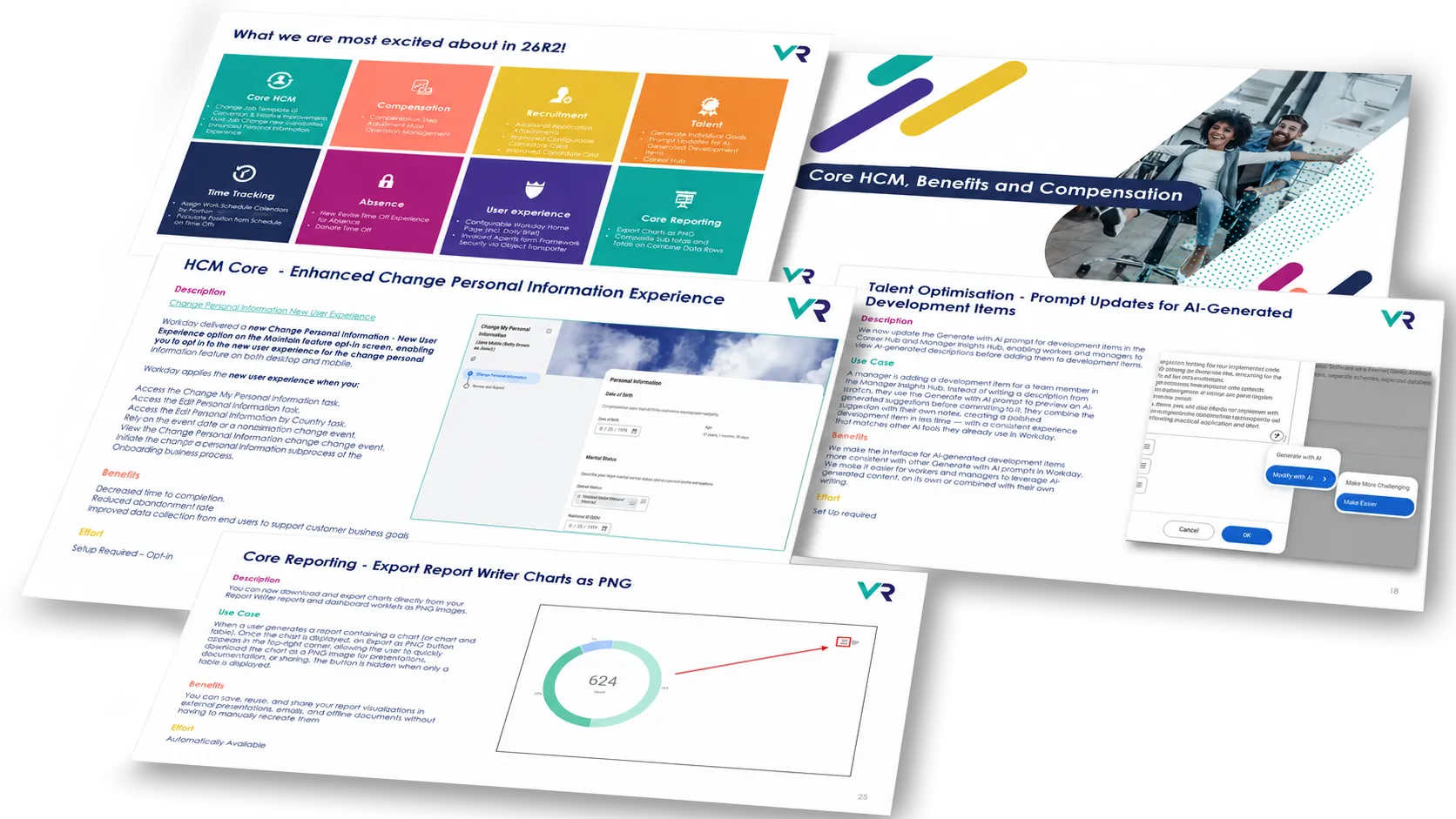
What we are most excited about in 26R2
Choose a category, then open any highlight to see what Workday has changed, why it matters and the effort involved.
Description
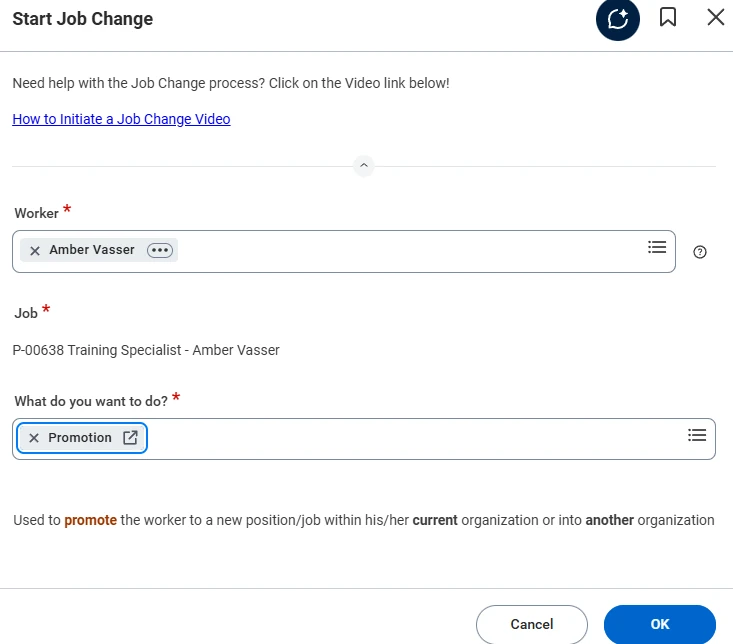
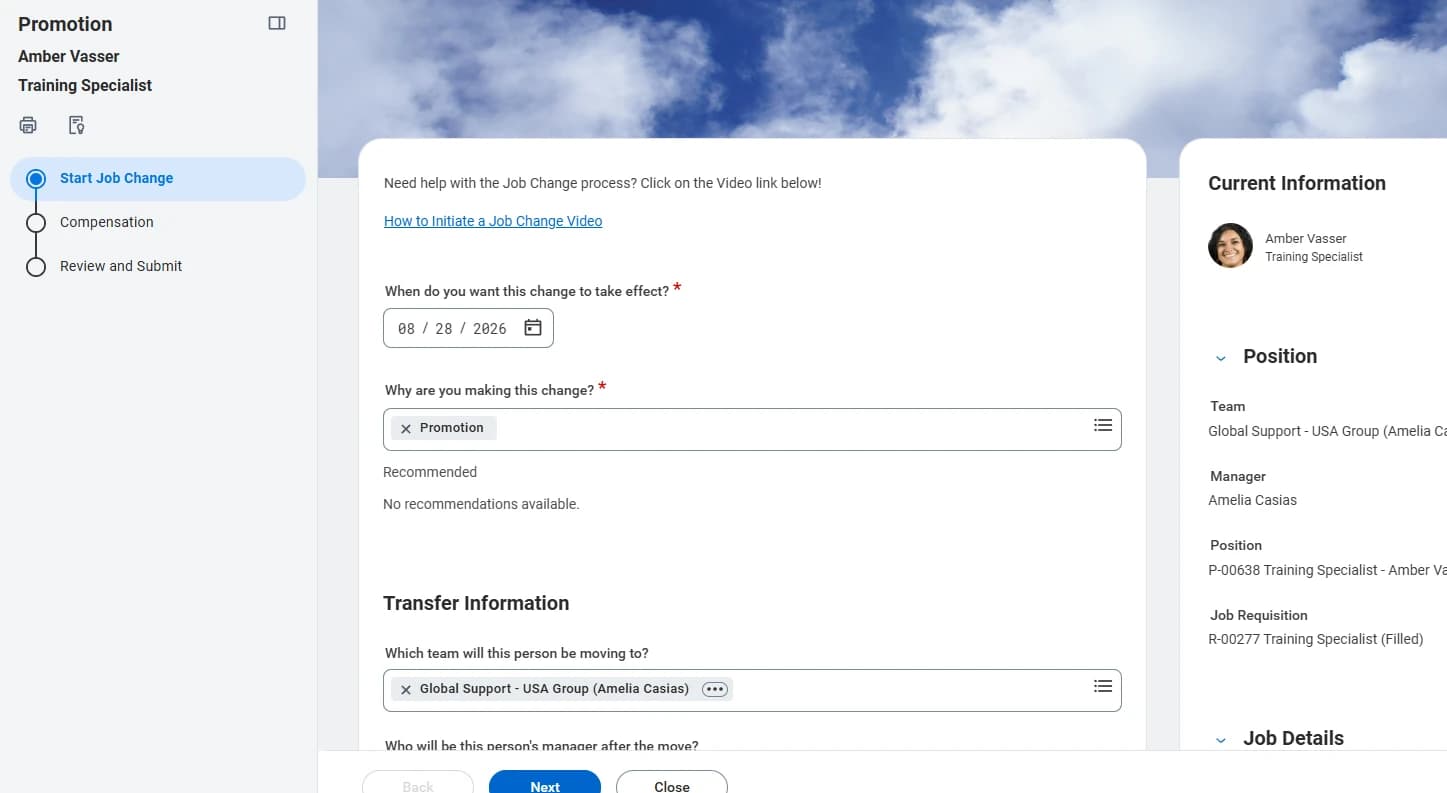
From the 2026R2 release date, any customer that has not adopted the new Change Job Experience is converted automatically. Workday converts existing templates using the legacy UI to the enhanced UI, creates Workday-delivered templates with the enhanced UI for applicable initiating actions where none already exist, and performs a security conversion by adding security groups on Configure Optional Fields for Change Job based on your existing domain security configuration.
Initiation is streamlined at the same time. When a user starts a Change Job the main Change Job business process workflow page is displayed, relevant subprocesses appear dynamically once the user clicks Next, and the in-progress Change Job event is only created after the user completes the subprocess and submits. In-progress Change Job events are migrated to the enhanced UI as well.
Benefits
- Migrates any customer that has not yet adopted the enhanced Change Job experience automatically.
- Improves the user experience when a Change Job is initiated.
- Reduces unnecessary or accidental in-progress Change Job events.
Effort
Automatically AvailableScreenshots
Description
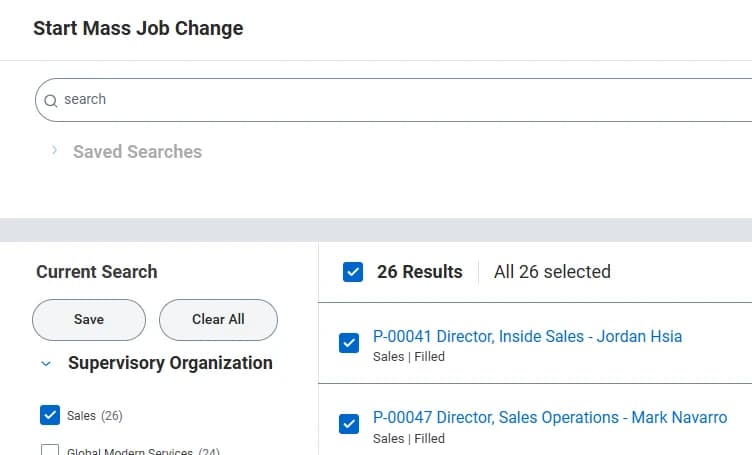
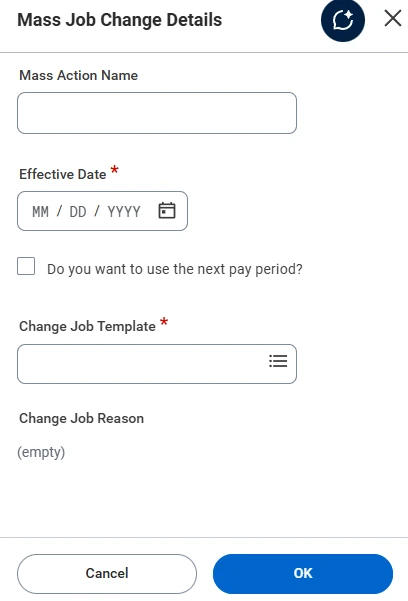
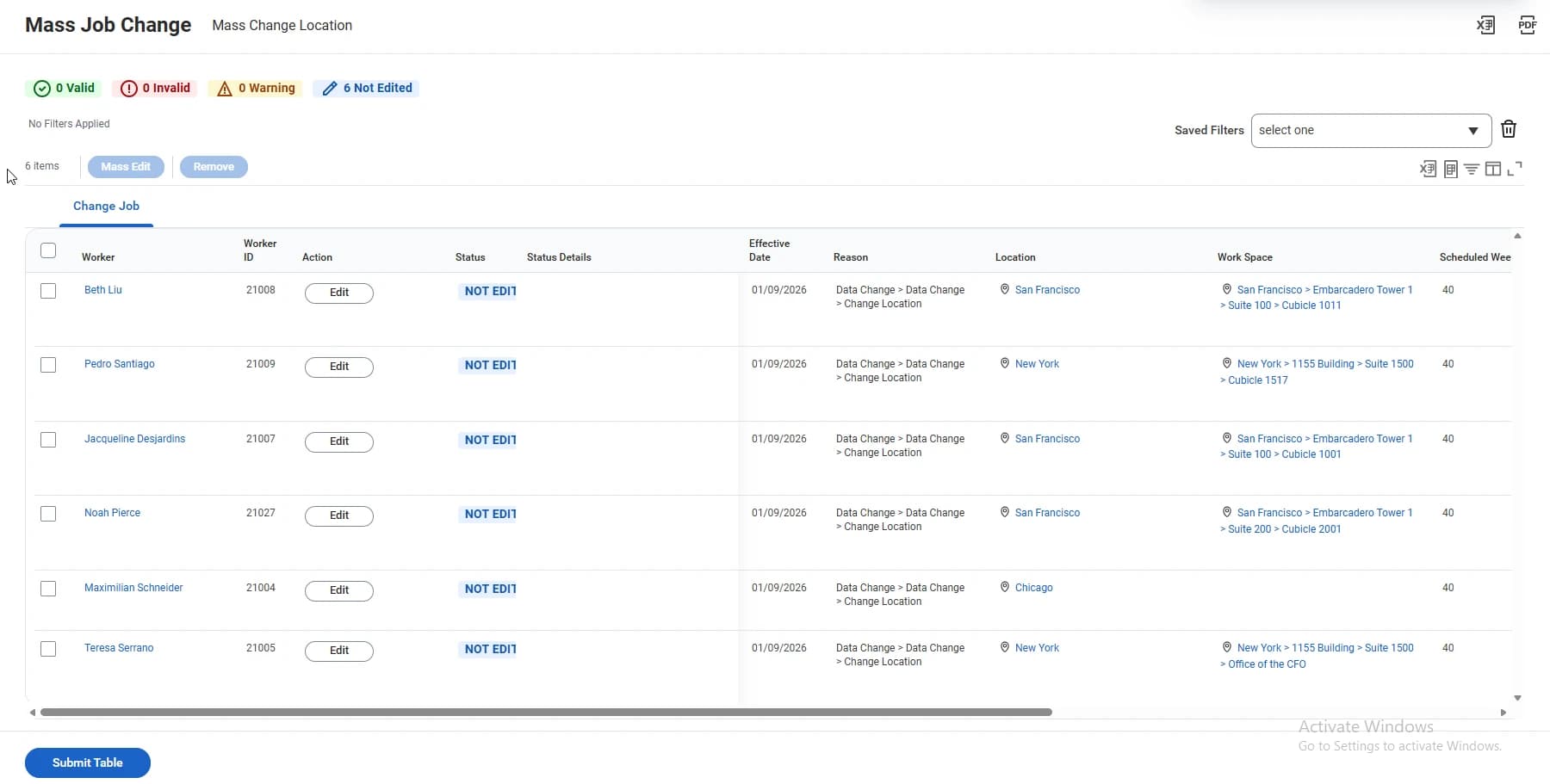
Mass Job Change provides a native Workday table-based experience for processing high-volume staffing updates in bulk. It replaces Change Job Mass Actions Worksheets with an intuitive table used to start, change, review and approve up to 5,000 transactions in a single event.
You opt in to move from Mass Actions Worksheets to Mass Job Change tables, including mass Change Organization Assignments and simple mass compensation changes. You can keep using Mass Actions Worksheets until you opt in, and from 2027R1 Mass Job Change automatically replaces Mass Actions Worksheets for mass Change Job for all customers.
Benefits
- 50-70% faster execution than manual entries or tedious EIB uploads.
- Simplified high-volume approvals.
- Improved data accuracy and support for decentralised operations.
Effort
Setup Required - Opt InScreenshots
Description
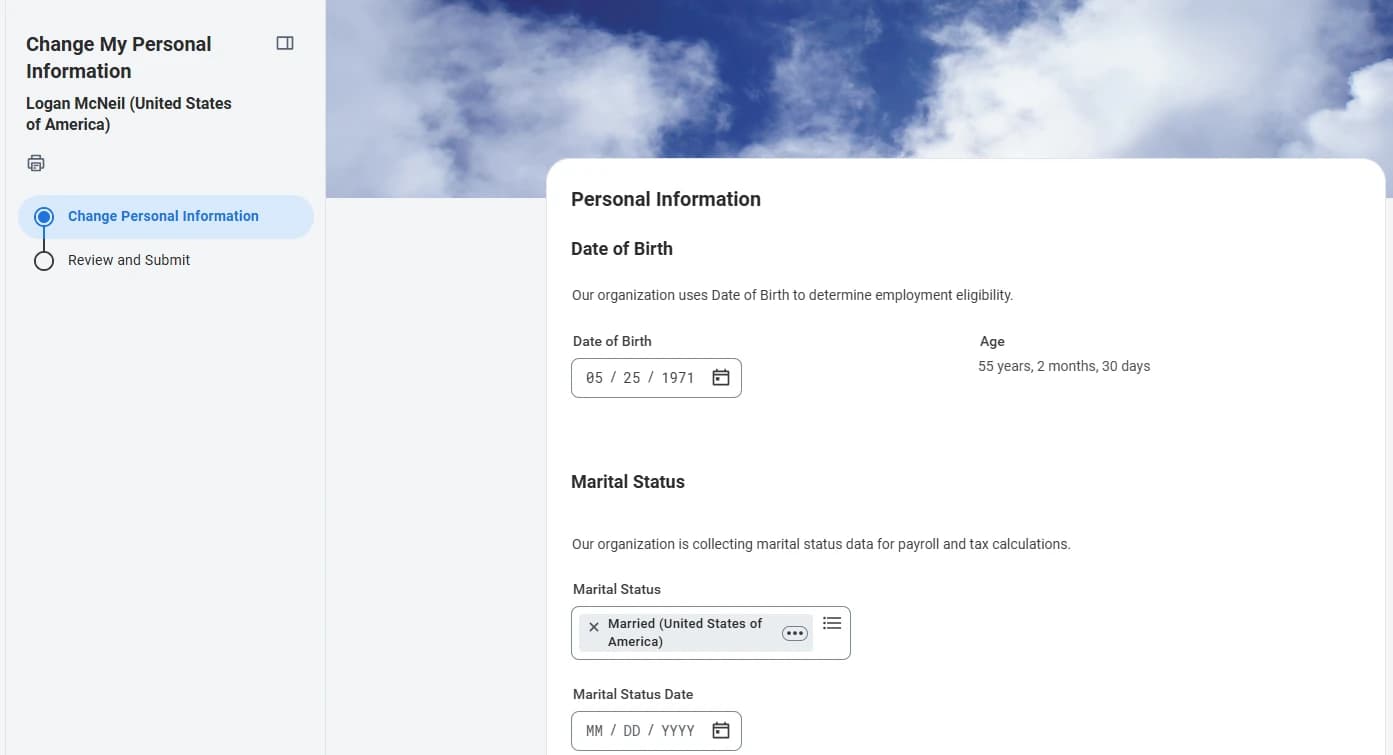
Workday has delivered a Change Personal Information - New User Experience option on the Maintain Feature Opt-Ins report, so you can opt in to the new user experience on both desktop and mobile.
The new experience applies when a user accesses the Change My Personal Information, Edit Personal Information or Edit Personal Information by Country tasks, approves or revises a personal information change event, views the event details of one, or initiates the Change Personal Information subprocess of the Onboarding business process.
Benefits
- Decreased time to completion.
- Reduced abandonment rate.
- Improved data collection from end users to support customer business goals.
Effort
Setup Required - Opt InScreenshots
Description
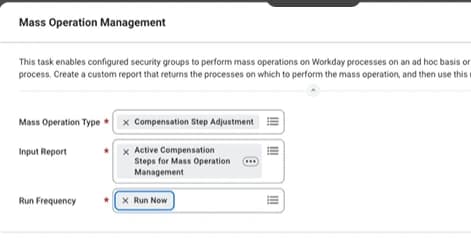
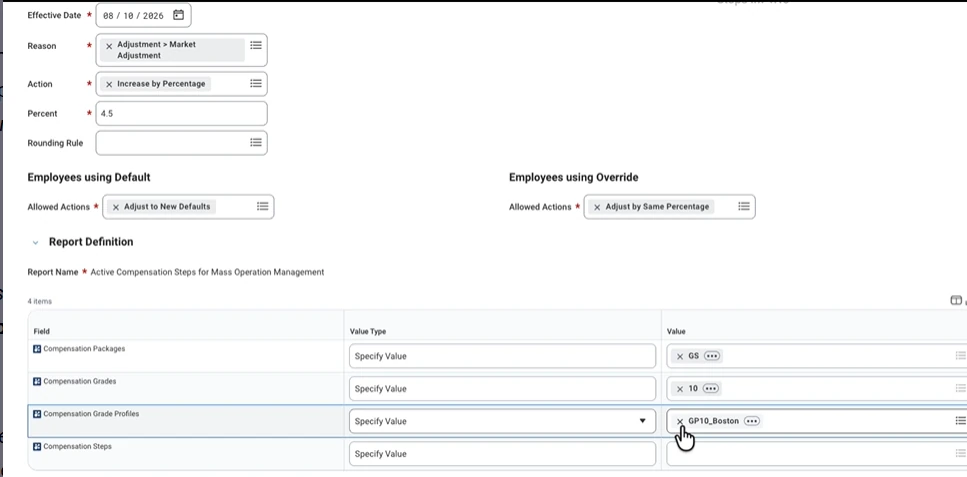
Workday introduces a new Mass Operation Management task type that updates compensation step defaults and generates compensation events for eligible workers at scale. Administrators can apply percentage-based or amount-based increases to target populations using a top-down selection hierarchy of packages, grades and profiles.
The new Compensation Step Adjustment option is delivered to the Mass Operation Type field of the Mass Operation Management task, enabling compensation administrators to initiate bulk amount-based or percent-based updates to compensation step defaults.
Benefits
- Streamlines mass compensation adjustments, reducing manual effort and processing time for administrators.
Effort
Setup RequiredScreenshots
Description
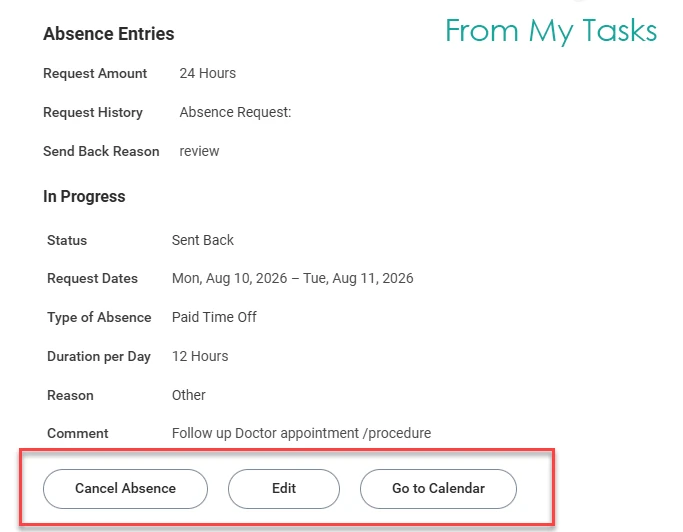
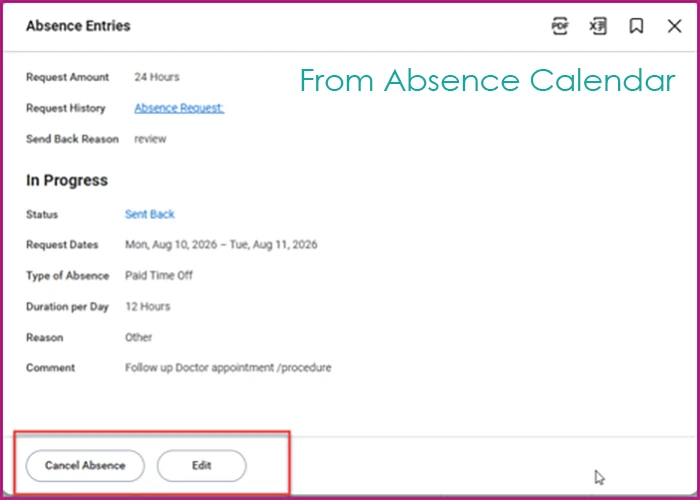
Workday provides a new user interface for revising time off in My Tasks, bringing the familiar and consistent look of the Absence calendar. Workers can also revise their absence requests directly from the Manage Absence calendar. The new experience is available on desktop and in the Workday mobile application.
Use Case
Workers revise requests in Sent Back, Not Submitted or Saved for Later status straight from the Manage Absence calendar instead of navigating to My Tasks and searching for the item, and can see the latest reason a request was sent back from within the absence entry details.
Benefits
- Enhances worker efficiency.
- Increases transparency and consistency when managing absences.
- Delivers the same experience whether a worker edits from the calendar or from My Tasks.
Effort
Automatically AvailableScreenshots
Description
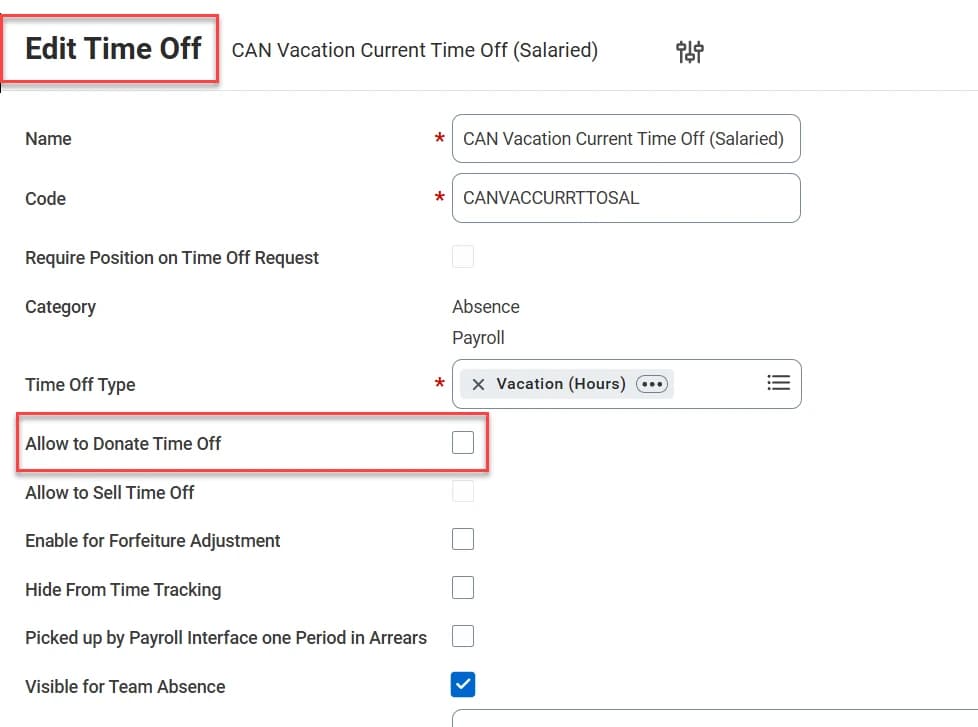
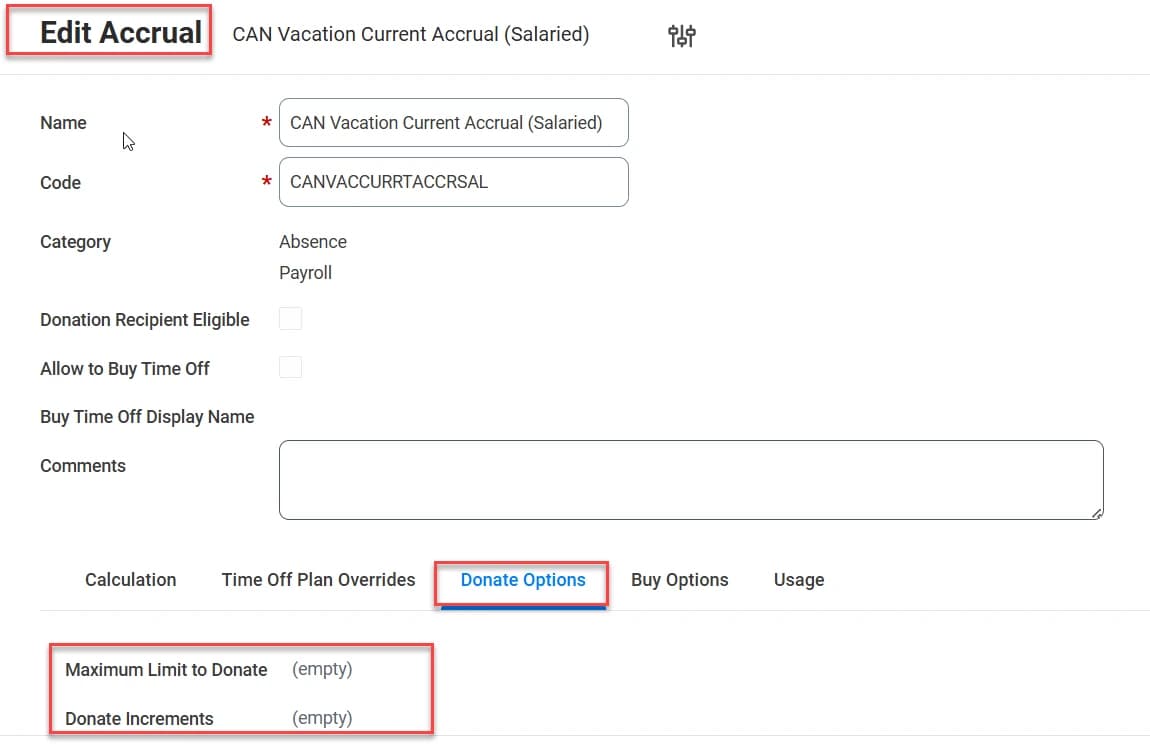
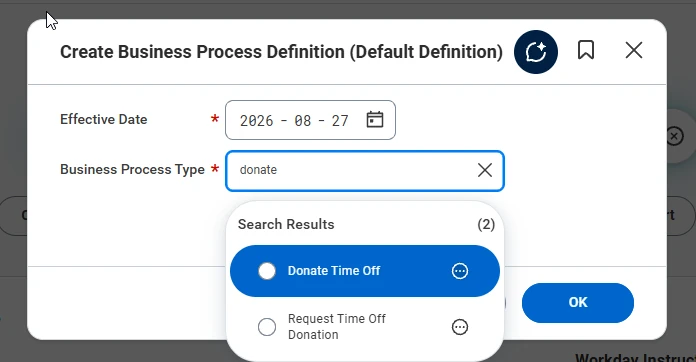
Workday delivers the ability for workers to donate their accrued time off to coworkers who need additional time off because of a personal or medical emergency. The feature supports peer-to-peer donations, allowing workers to request donations and colleagues to voluntarily donate from their available balances, with configuration options for donation eligibility, donation limits and approval workflows.
Use Case
An employee facing a medical emergency exhausts their time off balance and requests donated leave. Eligible coworkers voluntarily contribute hours, with HR or manager approval ensuring donation limits and policy compliance.
Benefits
- Helps organisations support their workforce during critical times by enabling a leave-sharing programme.
- Gives employees the flexibility to assist one another.
- Lets administrators configure and control donation limits and eligibility, ensuring compliance with organisational policies such as U.S. federal regulations, and managing financial liabilities.
Effort
Setup RequiredScreenshots
Description
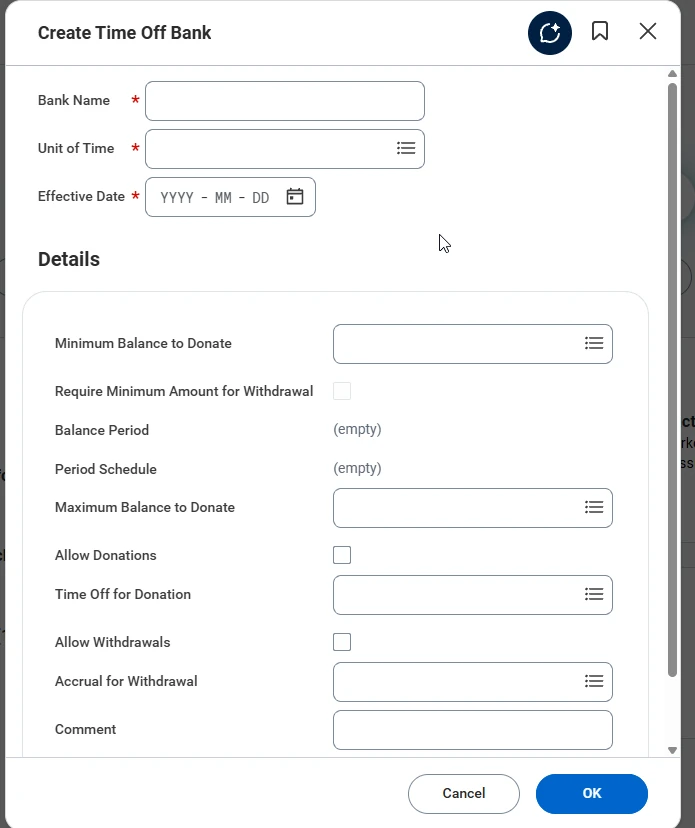
Workday enhances existing time off and leave functionality by enabling your organisation to set up voluntary time off banks. Workers donate unused time off to centralised banks, and workers experiencing personal or medical emergencies can request to withdraw time off from the bank.
Use Case
An organisation creates a centralised time off bank funded by unused employee leave. When an employee faces a medical or personal emergency they request additional paid time from the bank, subject to eligibility rules and approval.
Benefits
- Organisations can manage time off bank programmes directly within Workday.
- Participation rules are easy to control, enforcing minimum donation amounts and restricting which time offs are eligible for donation.
- Bank balances are tracked in one place.
Effort
Setup RequiredScreenshots
Description
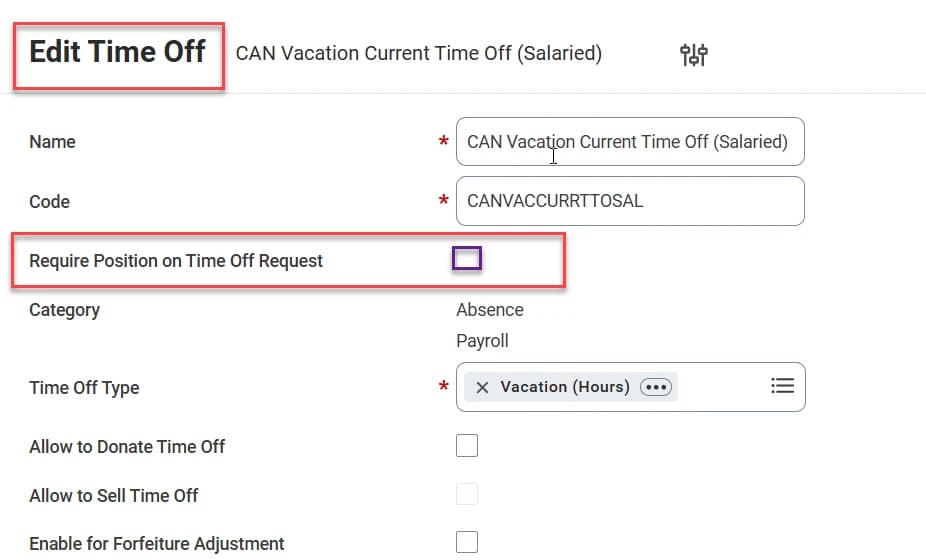
Workday now automatically populates position information from a worker's work schedule calendar or published scheduling shifts on time offs and absence requests. For workers with multiple positions this removes the need to select a position manually on each request, and where a worker is scheduled across more than one position on the same day Workday can automatically create separate time off entries for each scheduled position.
Use Case
An employee working two positions requests a day off. Workday automatically creates separate time off entries for each scheduled position, keeping absence tracking and payroll accurate.
Benefits
- Reduces manual entry for workers with multiple positions.
- Records time off entries against the correct position, supporting accurate payroll calculation.
- Reduces errors caused by workers selecting the wrong position at the time of request.
Effort
Setup RequiredScreenshots
Description
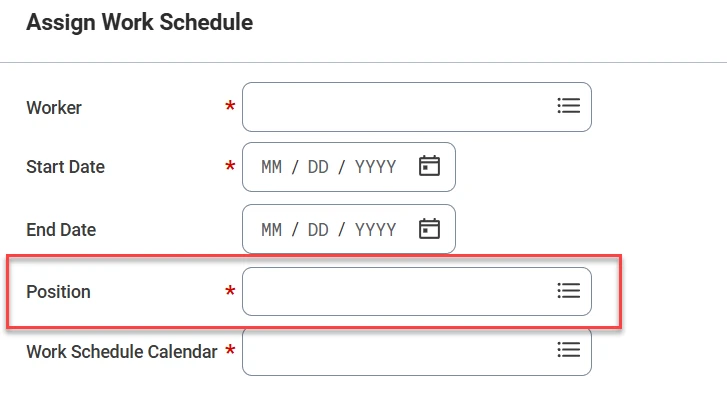
Workday now enables you to assign work schedule calendars by position. When assignments are created at position level, Workday can calculate time blocks more accurately, validate absence requests against specific work schedules, and support complex multiple position scenarios in payroll.
Use Case
An employee holds two positions with different schedules. Workday assigns a separate calendar to each position, keeping time entry, absence validation and payroll calculations accurate.
Benefits
- Improves accuracy in managing and paying workers with multiple positions.
- Reduces the potential for scheduling conflicts.
Effort
Setup RequiredScreenshots

Description
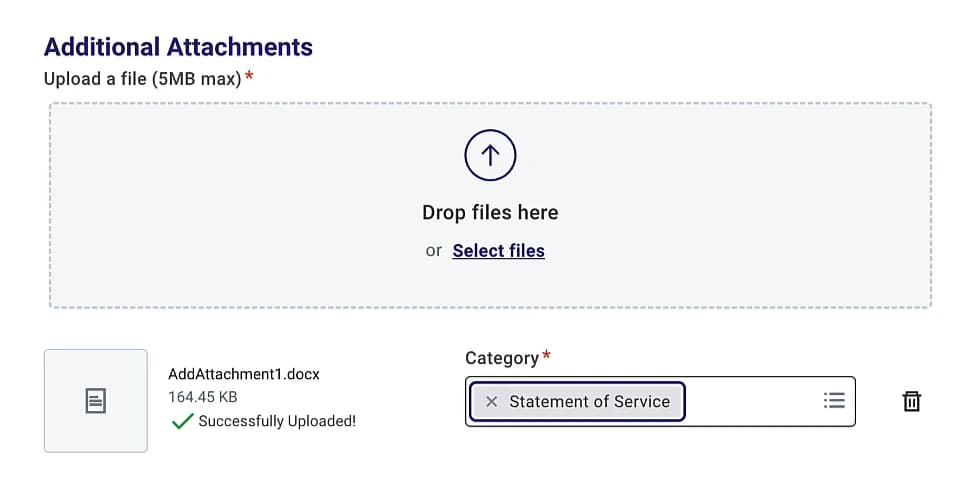
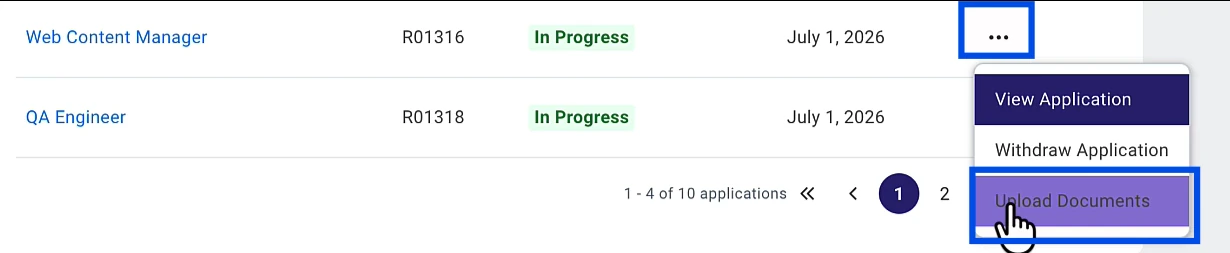
External candidates can upload additional documents to a job application during the apply flow and after they submit the application, assigning a document category to each upload so recruiters can quickly identify what was submitted.
Recruiters gain visibility of candidate-uploaded documents through a new Recruiter Hub card, an Application Attachments table on the candidate profile, candidate grid columns and report fields. Administrators can configure security segments, document categories, category groups, and when candidates are able to upload documents.
Benefits
- Empowers external candidates to add supporting documents after the original submission, without requiring recruiter intervention.
- Helps organisations, especially federal and other regulated employers, collect multiple categorised documents to support compliance requirements.
- Gives recruiters timely visibility of new candidate uploads so hiring teams can act quickly.
- Standardises document types across the organisation through tenanted document categories and category groups.
- Provides an audit trail showing when candidates uploaded documents and which categories they selected.
Effort
Setup RequiredScreenshots
Description
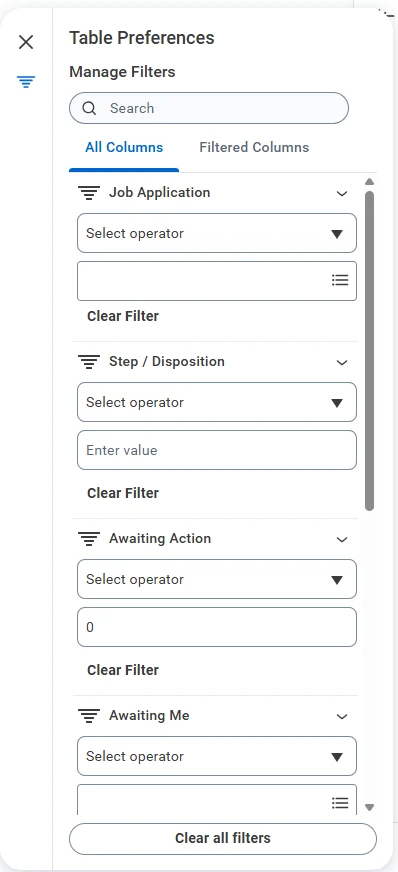
Workday reimagines how recruiters and hiring managers screen and select candidates. Key candidate data sits in a single, scannable view where recruiters can filter by stage, sort and configure columns, and take individual or mass actions without navigating across tabs.
Administrators can customise default sort orders, hidden columns and column layouts. Enabling the Filter on Hidden Columns option allows recruiters to filter applicant details using hidden data, keeping the grid uncluttered as they refine the candidate list.
Use Case
A recruiter managing a large applicant pool opens the Candidate Grid and filters by hiring stage to focus on active candidates. They hide data-heavy columns to speed up the grid load, then apply a filter on a hidden field to narrow the list further. Once shortlisted, they action multiple candidates at once from a single screen configured to match their team's workflow.
Benefits
- Filter and stage candidates faster in a single, flattened view.
- Show only essential columns to keep the grid focused and improve load times.
- Filter by hidden fields without cluttering the layout.
- Customise column order, sorting and visibility without changing the organisation's default configuration.
Effort
Setup RequiredScreenshots
Description
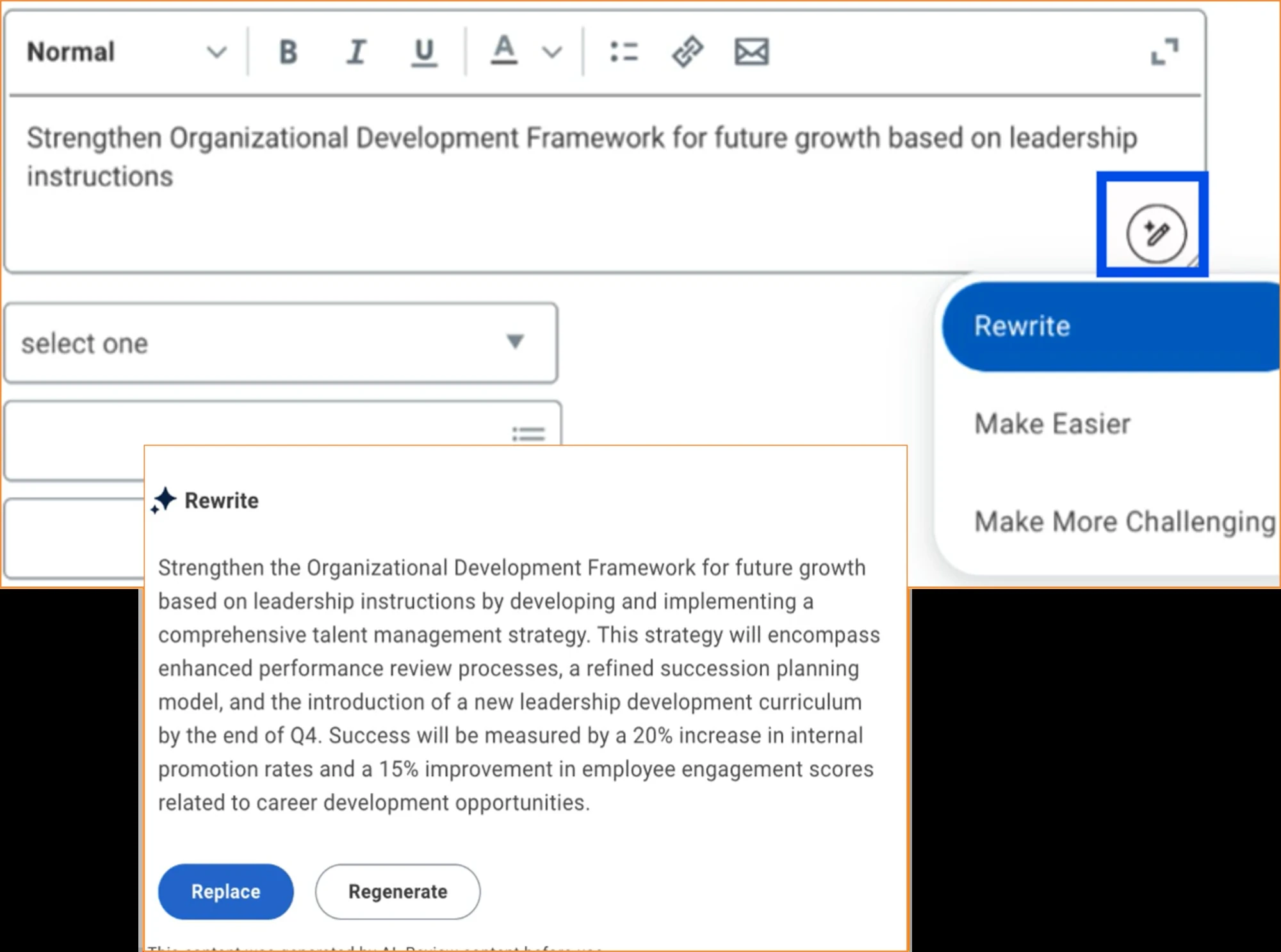
Workday delivers AI-assisted goal description suggestions for individual goals. A large language model aligns a worker's goal description with the SMART framework - specific, measurable, achievable, relevant and time-bound - using the worker's job and talent data.
Use Case
A worker sets a new individual goal but struggles to articulate it clearly. The AI-assisted suggestion refines the description to align with the SMART framework, drawing on their job and talent data to make it specific, measurable and time-bound. The worker reviews the suggestion, makes minor tweaks and saves a well-structured goal in a fraction of the time it would have taken to write from scratch.
Benefits
- Increases the quality of individual goals.
- Reduces the effort needed to create individual goals.
Effort
Setup RequiredScreenshots
Description
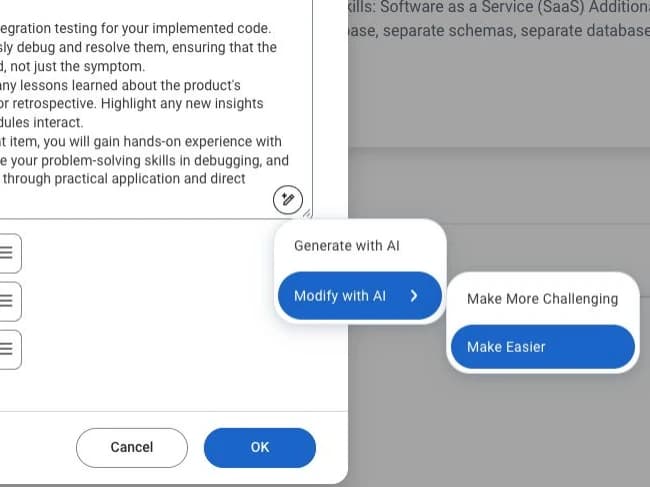
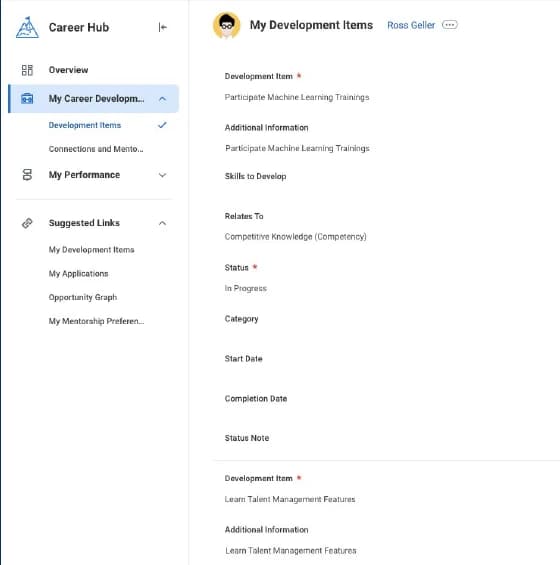
The Generate with AI prompt for development items in the Career Hub and Manager Insights Hub is updated so workers and managers can view AI-generated descriptions before adding them to a development item.
Use Case
A manager adding a development item for a team member in the Manager Insights Hub uses the Generate with AI prompt to preview a suggestion before committing to it. They combine the suggestion with their own notes, creating a polished development item in less time, with an experience consistent with the other AI tools they already use in Workday.
Benefits
- Makes the interface for AI-generated development items consistent with other Generate with AI prompts in Workday.
- Makes it easier for workers and managers to use AI-generated content, on its own or combined with their own writing.
Effort
Setup RequiredScreenshots
Description
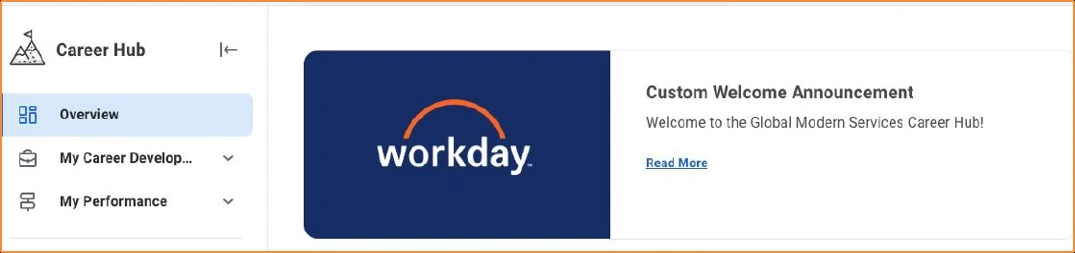
Workday expands the Career Hub's role as a centralised location for self-service talent functionality, covering performance and development, career exploration and planning, and internal mobility.
Career development and performance reports now surface in the Career Hub, and you can customise it through standard hub functionality in Workday.
Benefits
- Improves the findability and user experience of career development and performance tasks.
- Makes it faster and more convenient for workers to view and maintain their talent and performance data.
- Gives you more options to customise the Career Hub for your organisation's needs.
- Makes the Career Hub available to organisations that do not use Skills Cloud.
Effort
Setup RequiredScreenshots
Description
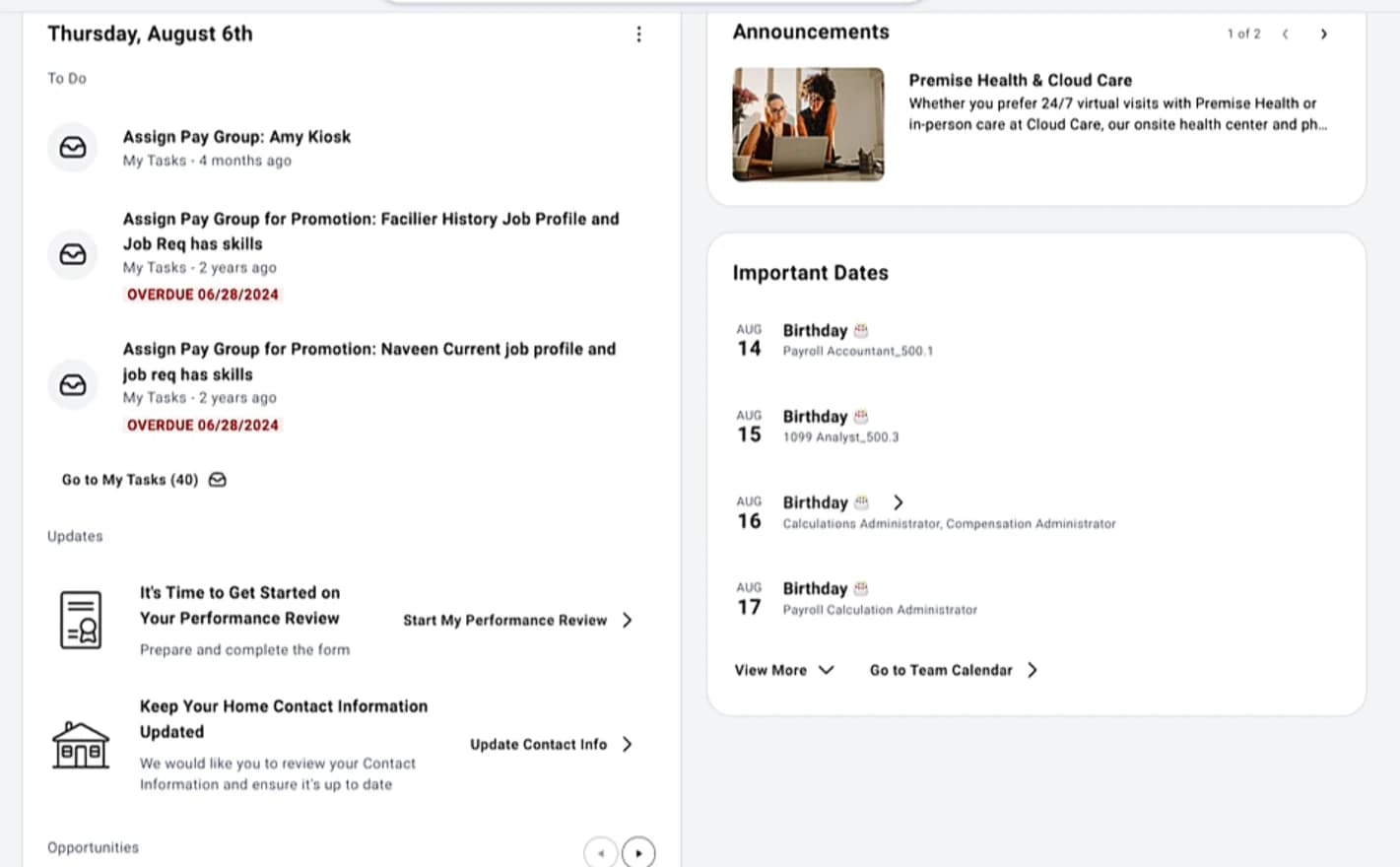
A flexible, widget-based Workday Home page with a dynamic two-column desktop layout and a one-column mobile layout. Administrators can configure widget visibility and priority, add configurable cards, and tailor the home page experience to organisational needs. The new Daily Brief widget consolidates tasks, recommendations and important updates into one streamlined experience.
Use Case
Create a more personalised and efficient employee experience by configuring the Workday home page to display the most relevant tasks, insights, announcements and resources based on organisational priorities and user needs.
Benefits
- Improves employee engagement by surfacing key tasks, insights and updates in one place.
- Provides a more personalised and configurable home page experience.
- Enables administrators to tailor content and priorities to business needs.
- Enhances usability with a modern, responsive experience across desktop and mobile.
- Simplifies everyday workflows through consolidated, easily accessible information.
- Increases flexibility without requiring custom development or complex configuration.
Effort
Low EffortAutomatically enabled if you have opted in to the new home page experience. You can opt out by deselecting Configurable Home Page Experience on the Maintain Feature Opt-Ins report.
Screenshots
Description
Organisations can invoke AI agents directly from the Business Process Framework through configurable service steps. Business processes can trigger both Workday-delivered and Extend-managed agents, bringing AI-powered automation, decision support and workflow execution into the business process flow.
Use Case
Use the Invoke Agent service step to embed AI agents directly into business processes, automating decision-making, reducing manual effort and streamlining workflow execution across HR and business operations.
Benefits
- Integrates AI capabilities into business processes.
- Automates complex tasks and decisions.
- Reduces manual intervention.
- Streamlines workflow execution.
Effort
Low EffortDescription
Security groups and their related business process security permissions can now be migrated between tenants using Object Transporter.
Use Case
Streamline security configuration migrations between Workday tenants by automatically transporting security groups and their associated business process security permissions, reducing manual effort and minimising migration errors.
Changes
- Migrating a security group now adds it to the event security policy permissions in the target tenant without overwriting your existing security group assignments.
- The Object Transporter diff report displays the specific event security policy permissions that migrate for the selected security group.
- Migration of invalid or restricted security group types for processing actions is prevented.
- Migration is prevented when a processing action is disabled at the business process type or security policy level.
Benefits
- Reduces manual migration effort.
- Minimises configuration errors.
- Supports audit and validation activities.
- Simplifies security policy management across tenants.
Effort
Low EffortDescription
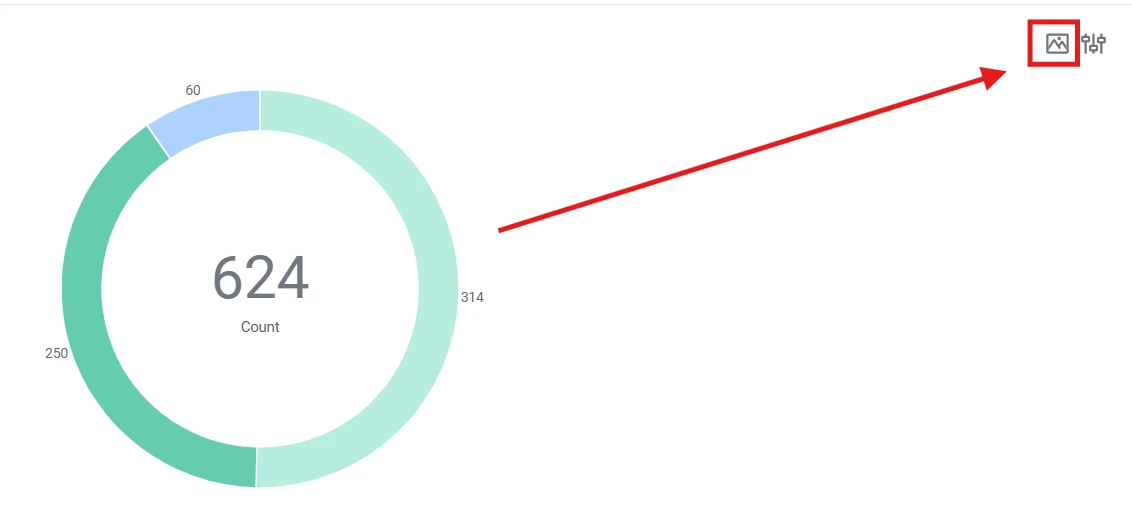
You can now download and export charts directly from your Report Writer reports and dashboard worklets as PNG images.
Use Case
A user generates a report containing a chart. Once the chart is displayed an Export as PNG button appears in the top-right corner, allowing the chart to be downloaded quickly for presentations, documentation or sharing. The button is hidden when only a table is displayed.
Benefits
- Save, reuse and share your report visualisations in external presentations, emails and offline documents without having to recreate them manually.
Effort
Automatically AvailableScreenshots
Description
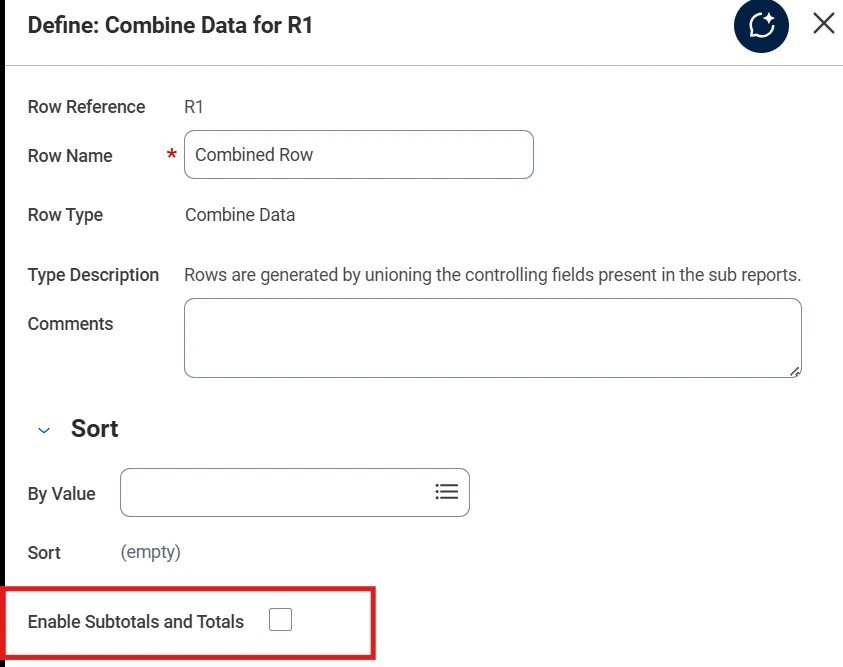
Composite reports now display subtotals and grand totals on Combine Data rows. You define the subtotals and grand totals when using a Combine Data row, and Workday generates them automatically when the control field values change.
Use Case
Subtotals and grand totals appear automatically in composite reports, making grouped data easier to analyse without manual calculations and improving report readability.
Benefits
- Removes the need to manually define subtotal rows.
- Automatically generates summarisations across configured control fields such as Ledger Account and Cost Center.
Effort
Automatically AvailableScreenshots
Free Downloadable Resource
Download our fully indexed 2026R2 Highlights document here (143 pages) for a more thorough look at this latest Workday release.
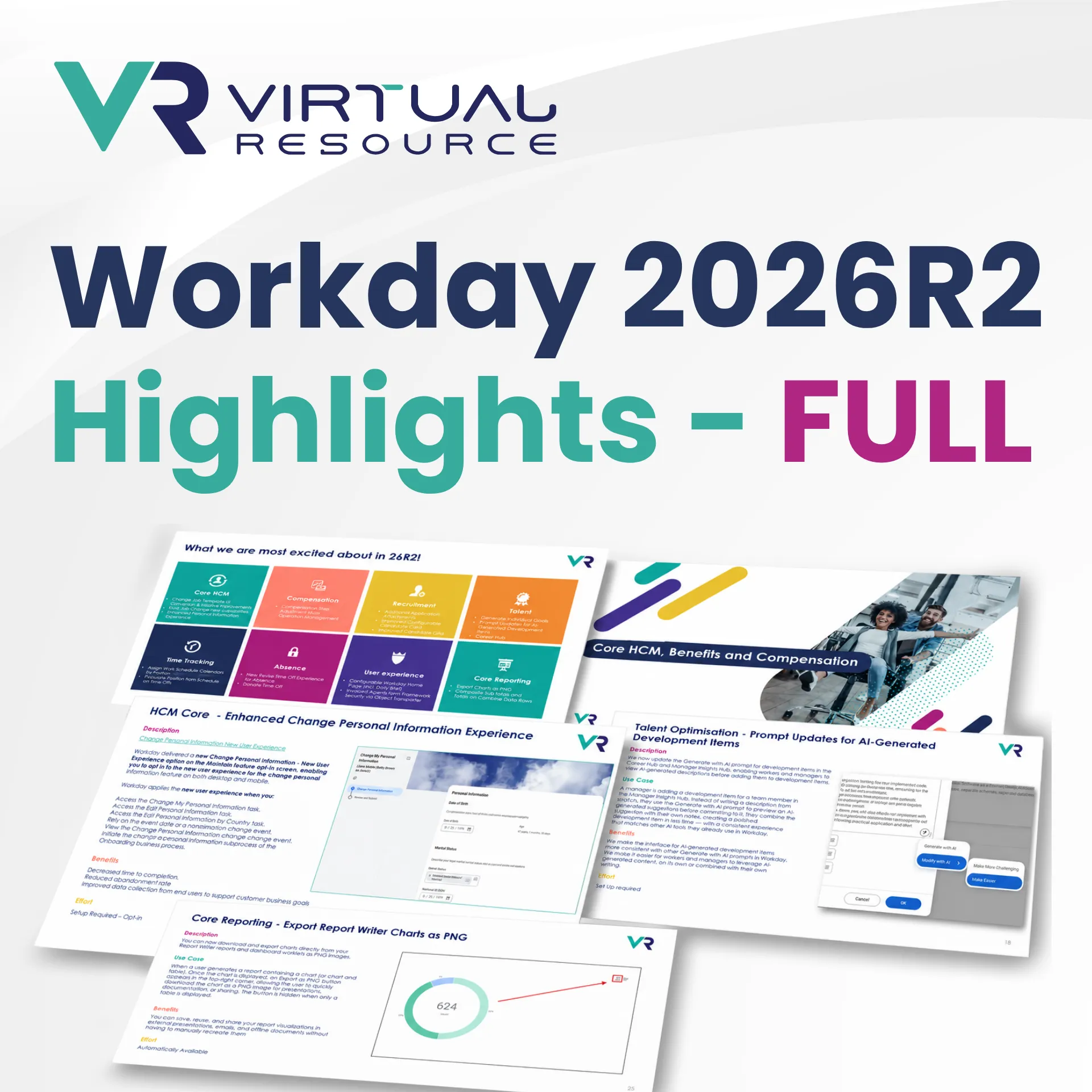
Workday 2026R2 Highlights Full Pack
A thorough but practical breakdown of the most important Workday 2026R2 updates - and what they mean for your organisation. Fully indexed and easy digestible.